Learn how a bank statement converter uses OCR to automate data extraction from PDF bank statements into Excel, saving you time and reducing errors.
Manually extracting data from bank statements is time-consuming and error-prone for accountants and finance teams. A bank statement converter solves this problem by using OCR and AI to automatically extract transaction data from PDF or scanned statements. It then converts this data into structured formats like Excel or CSV.
By eliminating manual entry, these tools improve accuracy, speed up reconciliation, and make it easier to analyze financial data and integrate it with accounting software.
Quick Summary
A Bank Statement Converter is an automated tool. It uses Optical Character Recognition (OCR) and AI. This tool extracts transaction data from PDF or scanned bank statements. It converts this unstructured information into a structured format like Excel or CSV. This process saves time and reduces errors. It also streamlines account reconciliation and works well with accounting software.
Unlocking Your Financial Data
As an accountant, you know that financial data is the lifeblood of any business. However, this critical information often arrives in formats that are difficult to work with, like PDF bank statements.
Challenges of Manual Bank Statement Entry
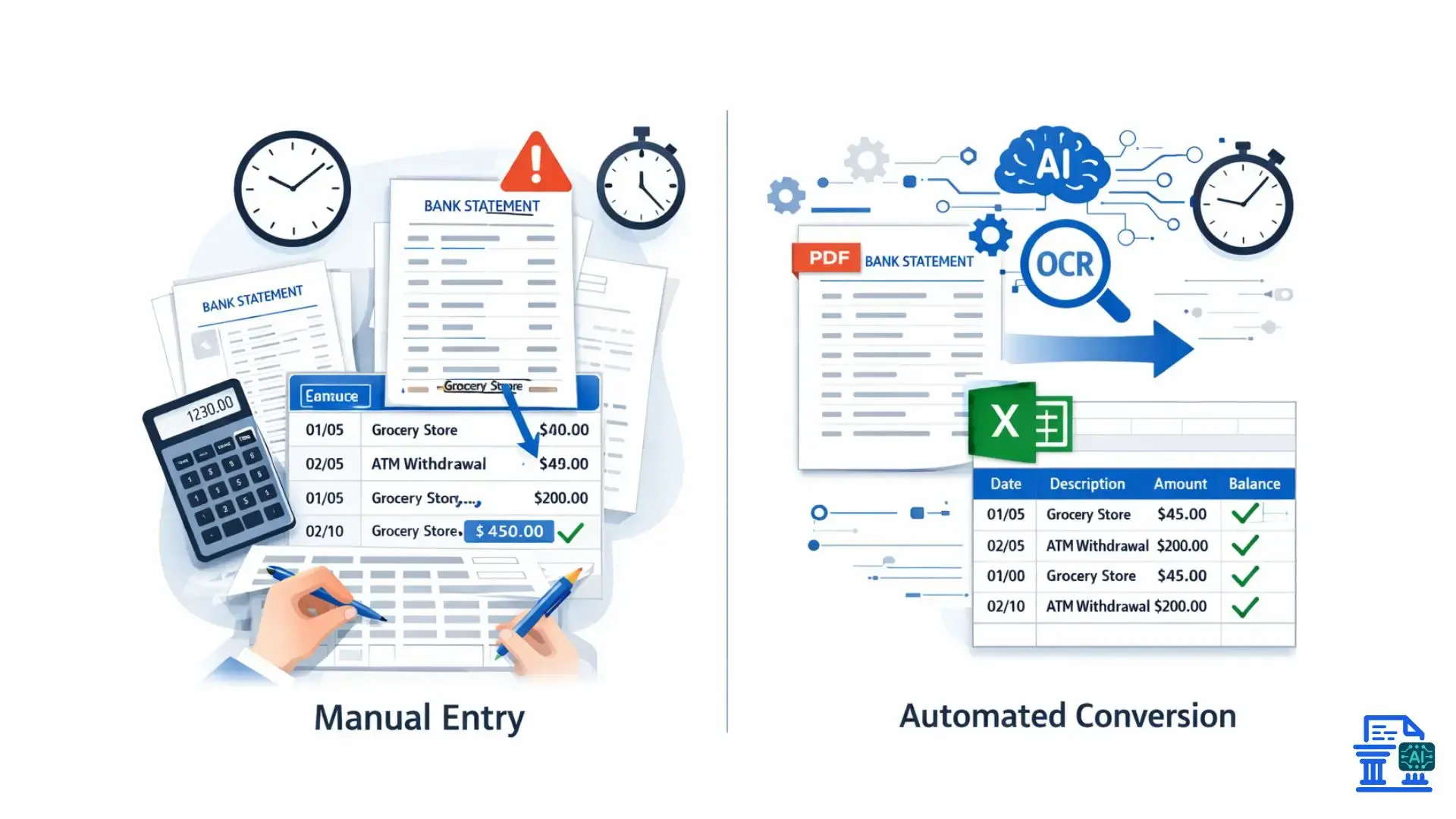
Manually typing out transaction details from a PDF bank statement into an Excel file is not only slow, but it’s also a recipe for costly mistakes. A misplaced decimal or a transposed number can disrupt a whole financial reconciliation. This mistake often leads to hours of frustrating detective work. This manual process is a significant bottleneck in financial workflows.
The Promise of Automated Financial Data Conversion
Automated tools promise to eliminate this manual drudgery. Picture turning a hundred-page bank statement into a neat spreadsheet in just minutes, not days. A bank statement converter boosts your financial operations. It saves you time, letting you focus on strategic financial analysis.
What Exactly Is a Bank Statement Converter?
A bank statement converter is a software that reads and interprets financial documents. It acts as a bridge, translating data from a static, uneditable format into a dynamic, usable one.
From Unstructured to Structured Data
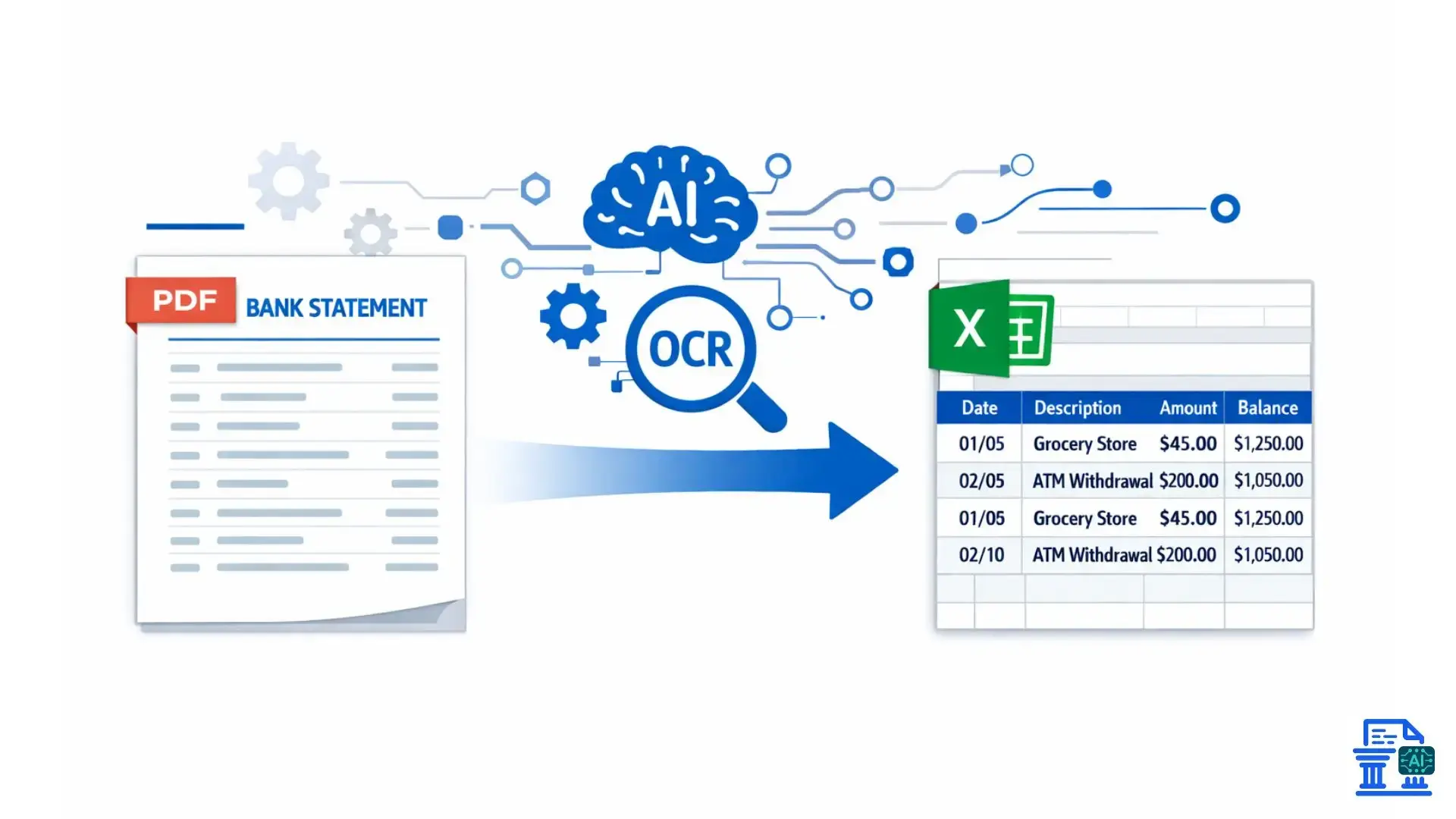
At its core, the technology is about transformation. It takes the jumbled, unstructured data printed on a bank statement PDF and organizes it into structured data. This means every piece of information, date, description, debit, and credit, is sorted into the right columns in a spreadsheet. It's all set for analysis.
Automating Data Extraction
The primary function of bank statement converters is automated data extraction. The software scans the document. It automatically pulls out all the important transaction data. This replaces the need for a person to read and type manually. This is the engine that drives the efficiency gains.
Primarily PDF Bank Statements
These tools are built to handle the most common formats you receive from financial institutions. They can handle both digitally generated PDFs, which are clear and easy to read, and scanned documents. Scanned documents can be trickier because they might be lower quality or skewed.
Excel, CSV, JSON, and Direct Integrations
Once the data is extracted, you need it in a useful format. Most converters can output to a standard Excel file or CSV format. Advanced solutions offer JSON for developers. They also connect directly to accounting software, like QuickBooks Online. This sends data where it needs to go, cutting out extra steps.
How Does a Bank Statement Converter Work?
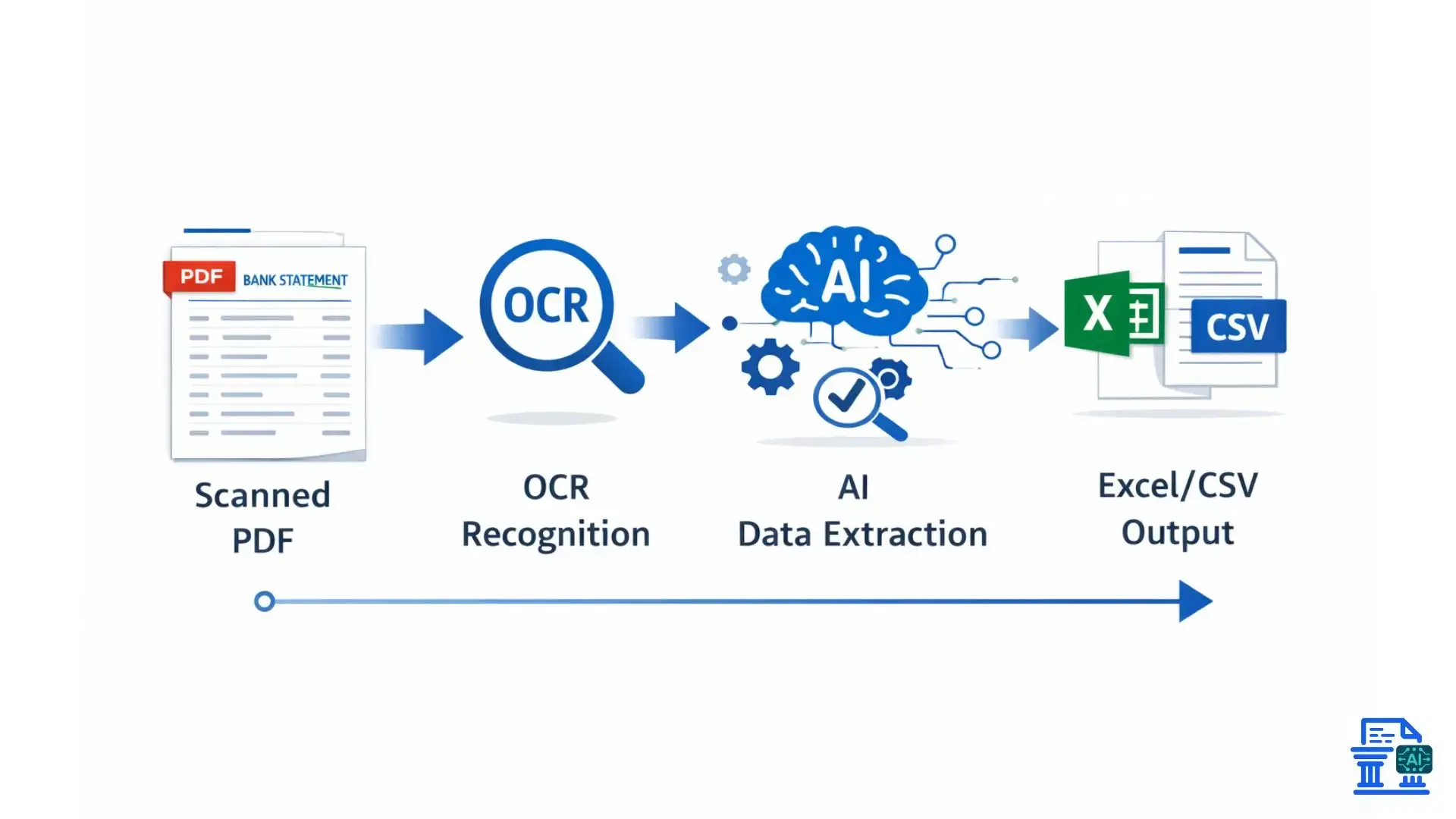
These tools use advanced technologies that work together. They read, understand, and structure financial information accurately.
The Power of Optical Character Recognition Technology
- It all starts with Optical Character Recognition (OCR). This foundational technology converts images of text, like those in a scanned PDF, into machine-readable text. The OCR engine essentially "reads" the document just like a human would.
- However, basic OCR can struggle with the complex layouts of bank statements. It might recognize characters but fail to understand their context or relationship to each other.
Advanced AI-Powered OCR for Enhanced Accuracy
- Modern converters use AI-powered OCR technology. This next-generation approach doesn't just see letters and numbers; it understands them.
- AI helps the system recognize fonts and manage different bank formats. It also fixes problems in scanned documents. This reduces errors significantly.
- These AI models learn from large datasets of financial documents. This makes them very accurate at spotting specific transaction details.
Intelligent Document Processing Platforms
Intelligent Document Processing (IDP) represents the evolution of OCR. IDP platforms combine AI, machine learning, and OCR to not only extract data but also to classify, validate, and enrich it. This makes the entire process of bank statement extraction smarter and more reliable.
Parsing Rules & Template Recognition for Bank Formats
Wells Fargo and local credit unions each have their own unique statement layouts. A good pdf bank statement converter uses parsing rules and templates to recognize the bank format. This helps it apply the right extraction logic. It knows where to find the date, description, and amounts, no matter the layout.
Human-In-The-Loop for Verification & QA
Even the best AI can sometimes be uncertain. Human-in-the-loop systems flag low-confidence entries for a human to quickly review and verify. This combination of machine speed and human oversight delivers the highest level of accuracy for your financial data.
Scanned Documents and Handwritten Data
Digital PDFs are great, but you often face messy scanned statements or documents with handwritten notes. Advanced converters tackle these challenges. They use smart algorithms to clean images and interpret handwritten forms. However, this task is still tricky.
Why Do You Need a Bank Statement Converter?
Switching from manual data entry to automation offers strategic benefits that go beyond just saving time. It fundamentally improves how you manage and utilize financial information.
Dramatically Improved Efficiency and Time Savings
The most immediate benefit is the massive reduction in time spent on data entry. What once took hours or days can now be accomplished in minutes. This frees you and your team to focus on higher-value activities that require your expertise.
Improved Accuracy & Lower Error Rate
Automated data extraction drastically lowers the error rate associated with manual input. Eliminating typos and transposition errors keeps your financial data accurate from the start. This leads to cleaner books and more reliable reports.
Streamlined Account & Financial Reconciliation
With accurate, structured transaction data, the account reconciliation process becomes faster and smoother. You can easily match transactions from your bank statements to your accounting software. This helps you fix discrepancies much faster.
Deeper Financial Analysis and Insights
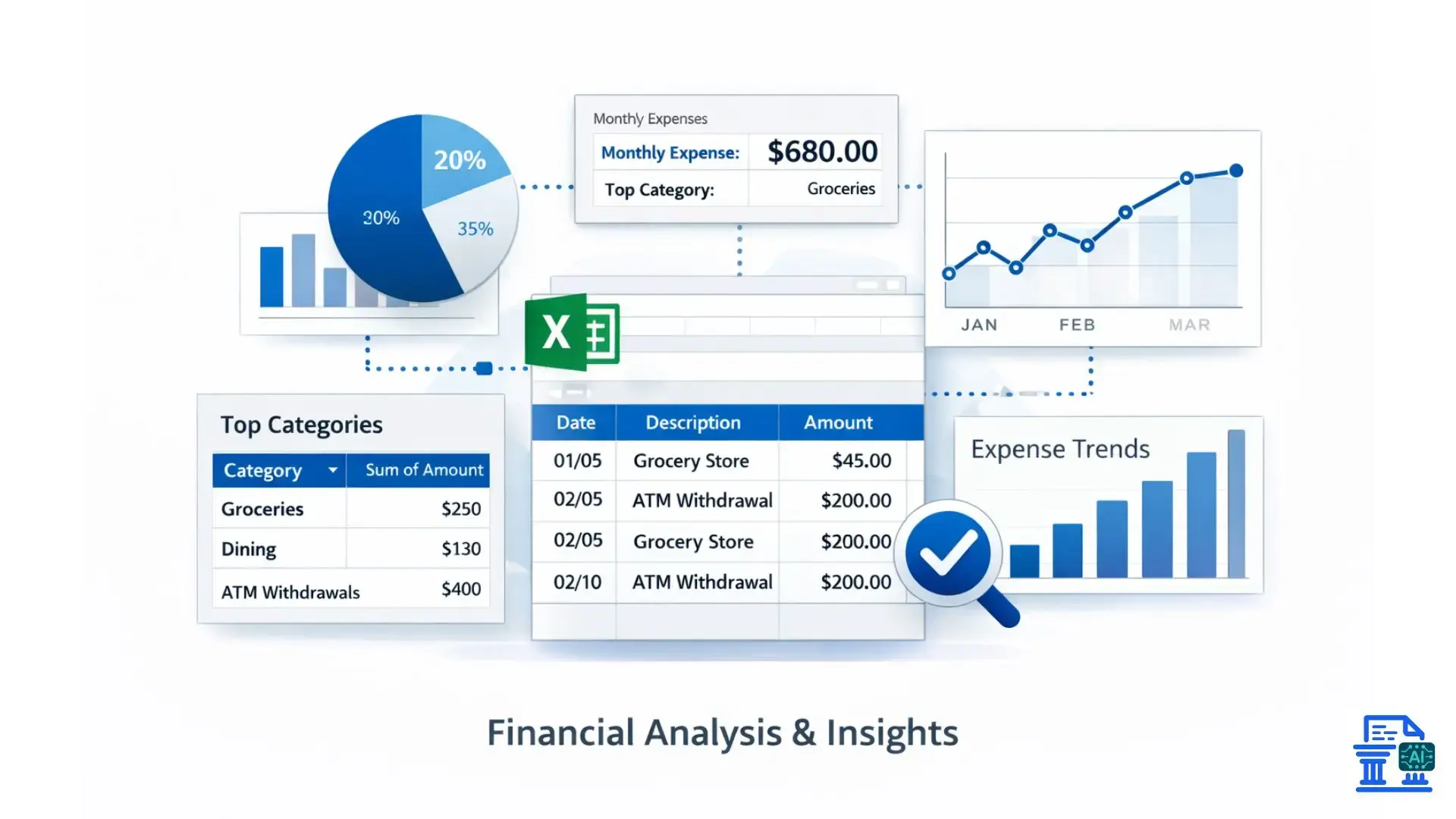
Once your data is in a format like an Excel file, you can easily perform in-depth financial analysis. Use pivot tables to analyze spending trends. They help build accurate cash flow models. You can also create reliable budgets and forecasts using clean, detailed transaction data.
Integration with Accounting & ERP Systems
The best bank statement converter software offers integrations with the tools you already use. This creates smooth accounting workflows. It automatically syncs your bank transactions with the general ledger in QuickBooks Online, Xero, or other ERP systems. You won’t need to export or import anything manually.
Enhanced Security & Fraud Detection
Having all your transaction data neatly organized makes it easier to spot irregularities. You can easily sort and filter transactions. This helps you spot unauthorized charges or unusual activity. It adds strong fraud detection to your financial oversight.
Simplified Tax Filing & Audits
When tax season arrives or an audit is required, having well-organized financial records is essential. A converter gives you clear, searchable spreadsheet data. This makes preparing for tax filing and handling audit requests much easier and less stressful.
Workflow Automation for Financial Operations
A bank statement converter is a key component of broader financial workflow automation. It’s the first step in a process. This can include automated transaction categorization, approval workflows, and report generation. This can transform your financial operations.
Who Benefits Most from Bank Statement Converters?
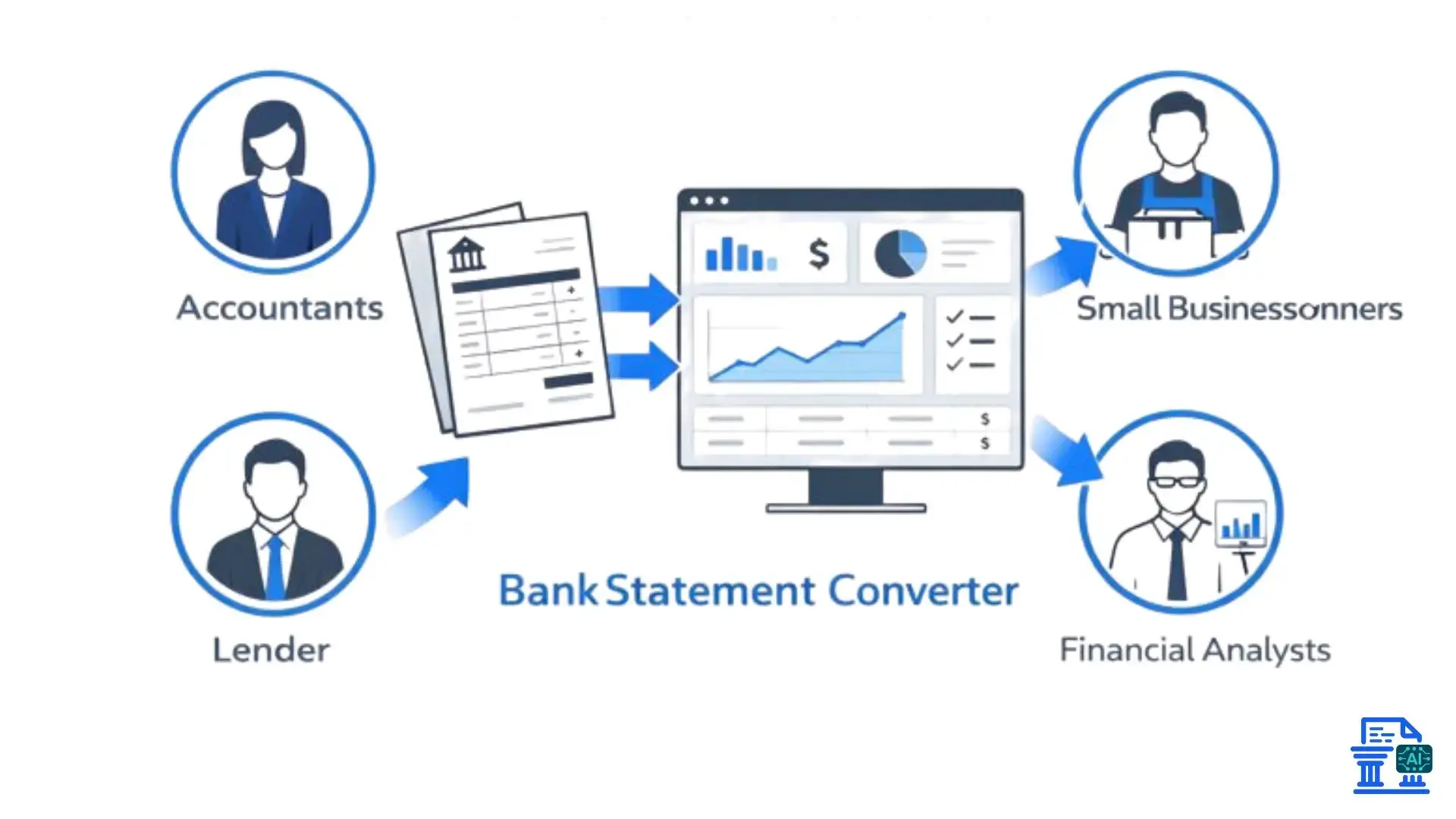
These tools can help almost anyone managing finances. However, they are especially useful for specific roles and certain business sizes.
Small to Medium-Sized Businesses and Bookkeepers
- For SMBs and bookkeepers, time is a precious resource. A converter automates one of the most time-consuming parts of their job.
- It allows them to manage more clients or focus on providing advisory services instead of getting bogged down in data entry.
- This technology creates a fairer competition. It gives smaller operations the same efficiency as larger firms.
Accountants, Financial Analysts, and CFOs
Accountants and financial analysts rely on accurate data to do their jobs. A converter guarantees data integrity. This is essential for financial reporting, analysis, and strategic planning. For CFOs, this means more reliable data for making critical business decisions.
Personal Financial Management
Individuals can use these tools to manage personal budgets, track spending, and prepare for taxes. Turning credit card and bank statements into a spreadsheet gives a clear view of cash flow. This method saves you from tedious manual work.
Financial Institutions & Credit Unions
Banks and credit unions themselves use this technology for internal processes. They can automate the review of financial documents. This includes loan applications, internal audits, and compliance checks. As a result, they improve their operational efficiency.
Fintech & Developer Use of Financial Data
Fintech companies building new applications often need a way to ingest financial data. Bank statement converter APIs let developers add data extraction features to their products. This helps power everything from budgeting apps to lending platforms.
How to Choose the Right Statement Converter?
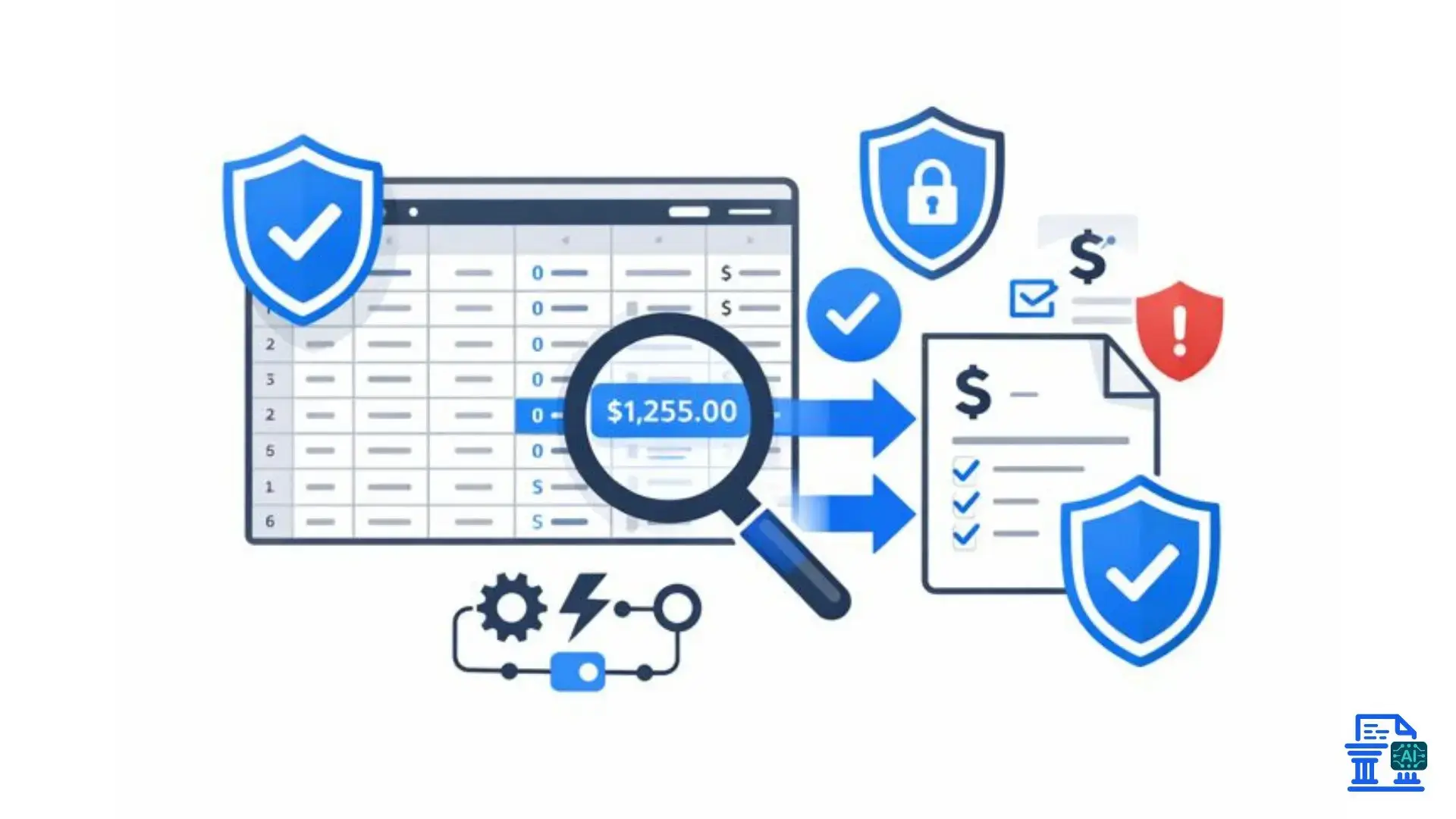
With many options out there, from free tools to big software, choosing the right one needs careful thought about your needs.
Unpacking Accuracy and Reliability
- The most critical feature is accuracy. A tool that consistently makes errors is worse than useless. Look for solutions that advertise a high accuracy rate and use advanced AI-powered OCR.
- Test the tool with a few of your own documents. Use both clean digital PDFs and lower-quality scanned statements. This helps you see how well it works in real life.
Supported Bank Formats and Document Types
Ensure the converter supports the banks and document types you work with most frequently. This includes major North American banks, international financial institutions, and various documents. These documents are bank statements, credit card statements, and brokerage reports.
Beyond Excel and CSV
Check that the tool provides the output formats you need. Excel and CSV are common formats. But if you need newer Excel features, use XLSX. If you're a developer, JSON is best for integrating data into another app.
Robust Security and Data Privacy Measures
Financial data is highly sensitive. Choose a provider with strong security protocols, including data encryption both in transit and at rest. Check that they follow data privacy rules, like GDPR. This keeps your and your clients’ information safe.
Integration Capabilities
If your goal is to automate your accounting workflows, native integrations are a must. Find a tool that links directly to your accounting software, like QuickBooks or Xero. This will cut out manual data entry and make your processes smoother.
User Interface and Ease of Use
The software should be intuitive and easy to use. A clean user interface accessible from your web browser makes the process simple. You shouldn’t need to be an IT expert to upload a document and get clean data back.
Scalable High-Volume Data Processing
If you process a large volume of statements each month, ensure the tool can handle the load without slowing down. Check for batch processing capabilities that allow you to upload and convert multiple documents at once.
Customer Support and Onboarding Assistance
Good customer support is invaluable, especially when you're getting started. Look for a provider with a responsive customer support team that can help you troubleshoot issues and get the most out of the tool.
Free Tools vs. Subscription Services
Free tools work well for quick, one-time conversions. However, they often limit volume, features, and security. For professional use, a subscription service gives you greater accuracy, stronger security, and focused support. Plus, it comes with a predictable monthly cost.
Using User Reviews and Industry Ratings
Before committing, check reviews on trusted software review sites like G2 Crowd and Capterra. User feedback offers clear insights into a tool's strengths and weaknesses.
A Practical Guide to Using a Bank Statement Converter
Once you've chosen a tool, putting it to work is usually a straightforward process. Following a few best practices will ensure you get the best results.
Preparing Your Bank Statements for Optimal Conversion
For the highest accuracy, use original digital PDF bank statements whenever possible. Make sure your scanned documents are high-resolution (300 DPI is best). They should be flat and free from shadows or skewing before you upload them.
Uploading, Processing, and Downloading Data
The typical workflow is simple: you sign up for the service, upload your PDF or scanned statement through their online tool, wait for the processing to complete, and then download the extracted data as an Excel or CSV file.
Ensuring Accuracy and Completeness
Always perform a quick validation check after conversion. A good practice is to compare the totals from the original statement to the totals in the converted spreadsheet. This simple step can quickly highlight any major extraction errors.
Leveraging Converted Data for Financial Insights
Don’t just file the data away. Use the power of your spreadsheet software to analyze it. Use pivot tables to summarize spending by category. You can also apply Excel formulas to calculate key metrics. If you prefer, import the data into Google Sheets for teamwork and analysis.
Bank Statement Integration into Accounting
The final step is to integrate this process into your routine. Make the converter a regular part of your bookkeeping. You can either import the CSV file into your accounting software or use a direct integration. Both options let you enjoy the benefits of automation regularly.
Common Challenges and Troubleshooting Tips
Even with the best tools, you might occasionally run into issues. Knowing how to handle them can save you time and frustration.
Dealing with Password-Protected PDF Bank Statements
Many banks issue password-protected statements. Most professional-grade converters ask for a password when you upload a file. This lets them access and convert it. Be sure to have this information handy.
Conclusion
A Bank Statement Converter is a strategic tool that saves time, improves accuracy, and strengthens financial data security. Automating extraction, it frees accountants from manual work and enables deeper analysis and advisory focus. Start using a bank statement converter today to streamline workflows and work smarter.
FAQs
1. What is a bank statement converter, and how does it work?
Bank statement converters use AI to extract transaction data from PDFs or scanned statements. They turn unstructured data into Excel or CSV files, saving time and reducing errors.
2. Can I automate converting my monthly bank statements into CSV files?
Automated tools let you batch-process statements each month. They extract transactions and generate CSV files, streamlining accounting workflows.
3. How do accountants quickly convert client bank statements to Excel?
Accountants use PDF-to-Excel or AI tools to avoid manual entry. These tools keep columns accurate and speed up financial reconciliation.
4. How do I convert Excel files to CSV without changing the format?
Open the Excel file, choose “Save As > CSV,” and check encoding and delimiters. This preserves columns, formulas, and data integrity.
5. How can I convert PDF bank statements into Excel quickly?
Use an online PDF-to-Excel converter to upload the statement and download it as an Excel file.

Leave a comment
Your email address will not be published. Required fields are marked *