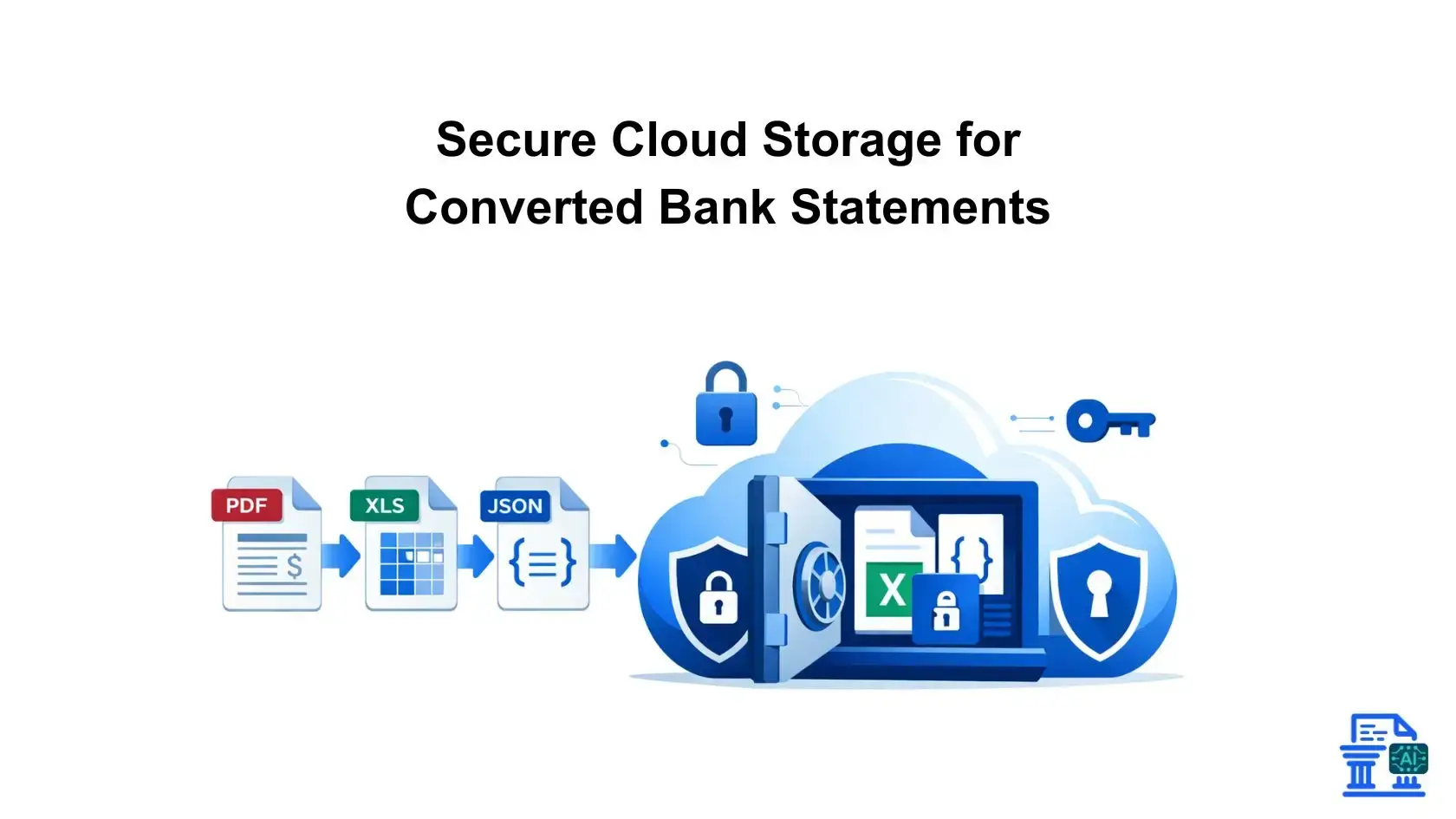
Learn how to protect your converted bank statements with secure cloud storage. Discover tips on encryption, access control, and fraud detection.
Imagine converting months of PDF bank statements into Excel, only to leave them exposed in an unsecured folder. This is why Converted Bank Statements is essential to protect sensitive financial data from breaches. Proper storage safeguards your digital records just like locking your business premises.
Quick Summary
Converting PDF bank statements into Excel or JSON enables powerful analysis but introduces security risks. Unlike static PDFs, structured files are easier to alter and often unencrypted. Converted Bank Statements protects this data with encryption, access controls, and audit trails.
Why Secure Converted Bank Statements?
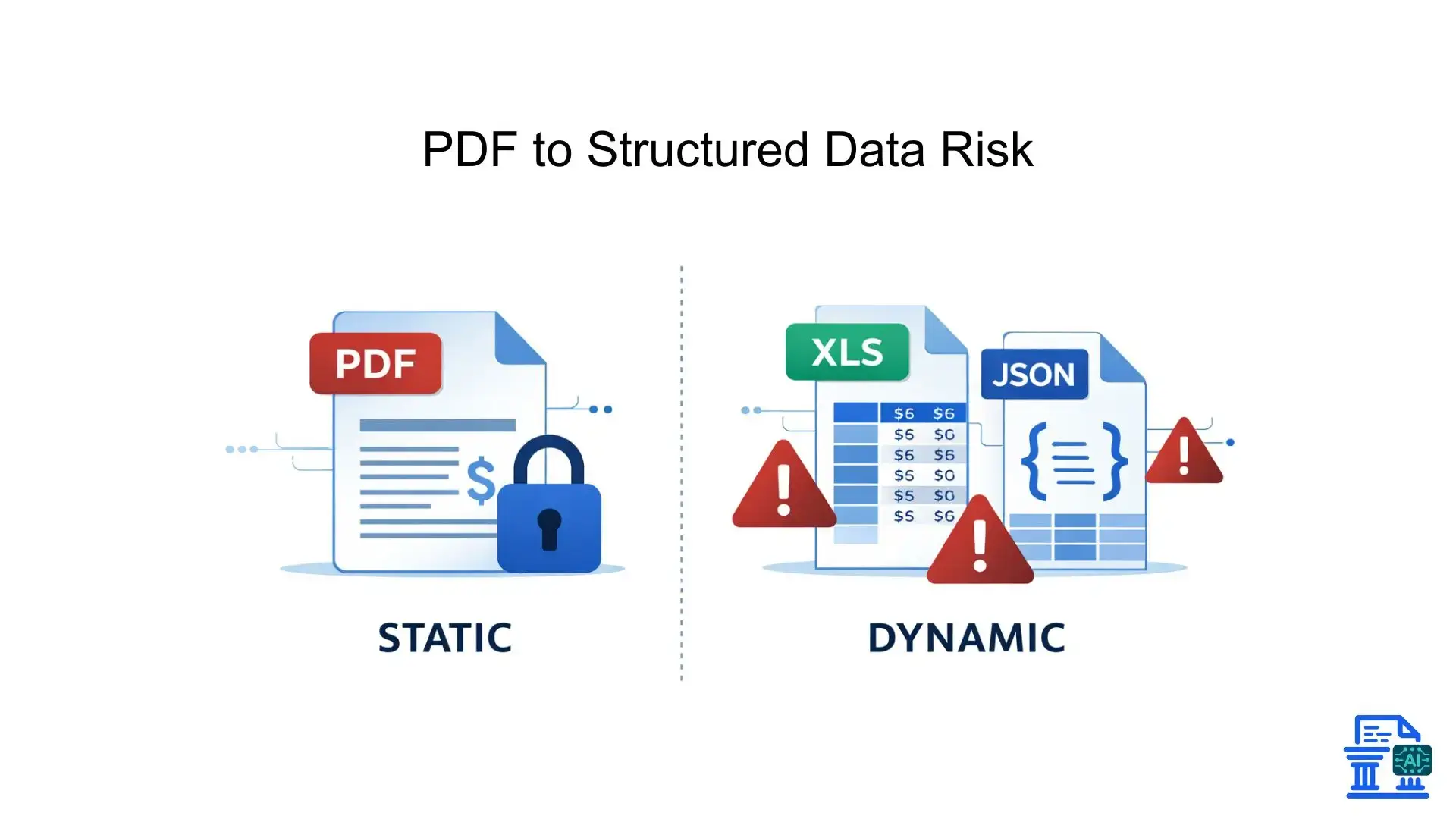
When you digitize and convert financial records, the nature of the file changes. It's no longer just a digital piece of paper; it becomes a database of your financial life.
From Static PDFs to Dynamic, Vulnerable Data
A standard PDF bank statement is relatively static. It’s hard to alter without leaving digital fingerprints. However, once you run it through bank statement extraction software, that data becomes dynamic.
Dynamic data is incredibly useful for finance teams, but it is also fragile. If a converted file is intercepted, values can be changed instantly. This makes the storage environment, your cloud solution, the primary line of defense.
Understanding the Unique Risks of Storing Structured Financial Data
Structured data, such as files in Excel format or JSON, is machine-readable. This means bad actors can use scripts to scrape thousands of rows of transaction details in seconds.
- Ease of manipulation: Anyone with access can alter a transaction date or amount.
- Script accessibility: Hackers use automation to exploit structured data faster than humans can react.
- Metadata exposure: Converted files often retain hidden metadata about the user or the conversion process.
Financial Fraud, Reputational Damage, and Legal Repercussions
The cost of a breach goes beyond money. If your client's bank accounts are exposed due to poor file sharing practices, your reputation takes a massive hit.
Legal repercussions are severe. Regulators do not look kindly on financial institutions or businesses that fail to protect customer data. A single leak can lead to lawsuits that bankrupt smaller firms.
What Are Essential Security Pillars?
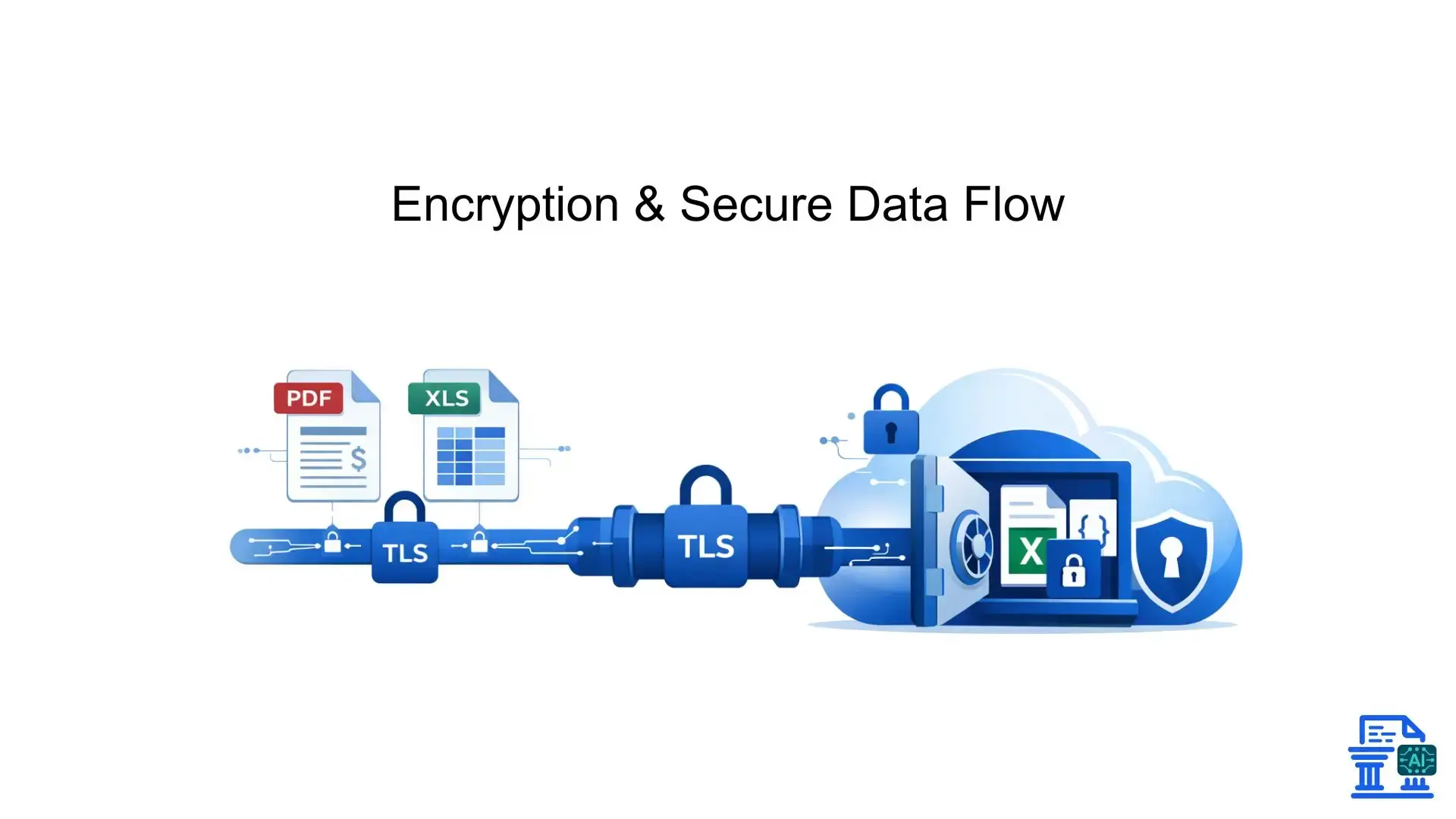
Securing converted bank statements requires more than a strong password. You need a multi-layered approach that addresses every stage of the data lifecycle.
Robust Encryption: Protecting Data At Rest and In Transit
Encryption is non-negotiable. You should look for AES encryption (256-bit) for data sitting in your storage (at rest) and TLS 1.2 or higher for data moving between servers (in transit).
- Data at Rest: Ensures that even if someone steals the physical hard drive from a data center, they cannot read your files.
- Data in Transit: Protects your financial data while it is being uploaded or downloaded from the cloud.
Granular Access Controls and Identity Management
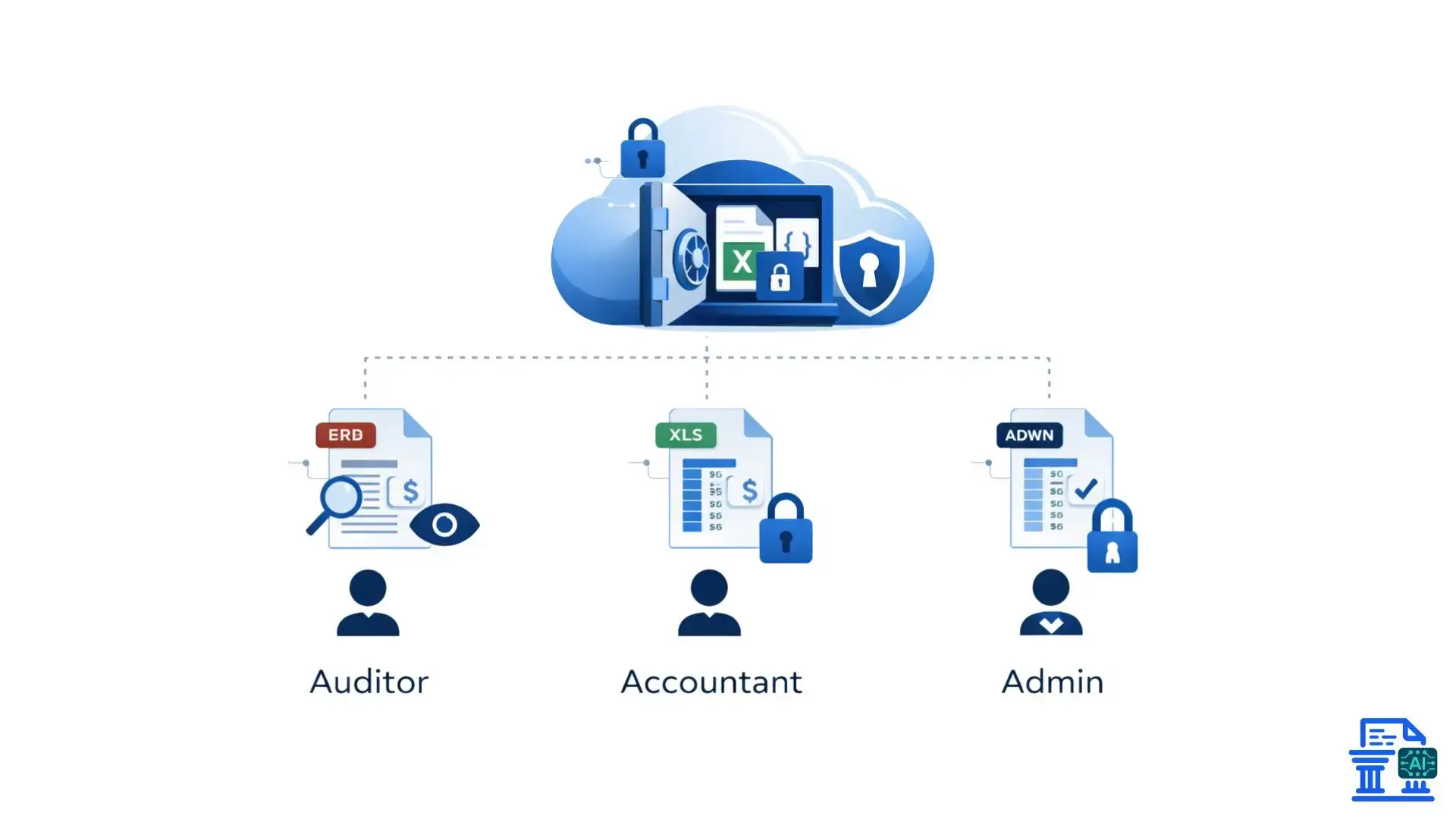
Not everyone in your company needs access to every document. Granular controls allow you to specify exactly who can view or edit specific files.
- Role-Based Access: Assign permissions based on job function (e.g., auditors vs. junior accountants).
- Least Privilege Principle: Only give users the bare minimum access they need to do their job.
- Time-Limited Access: Grant temporary access that expires automatically after a set period.
Comprehensive Compliance and Auditability
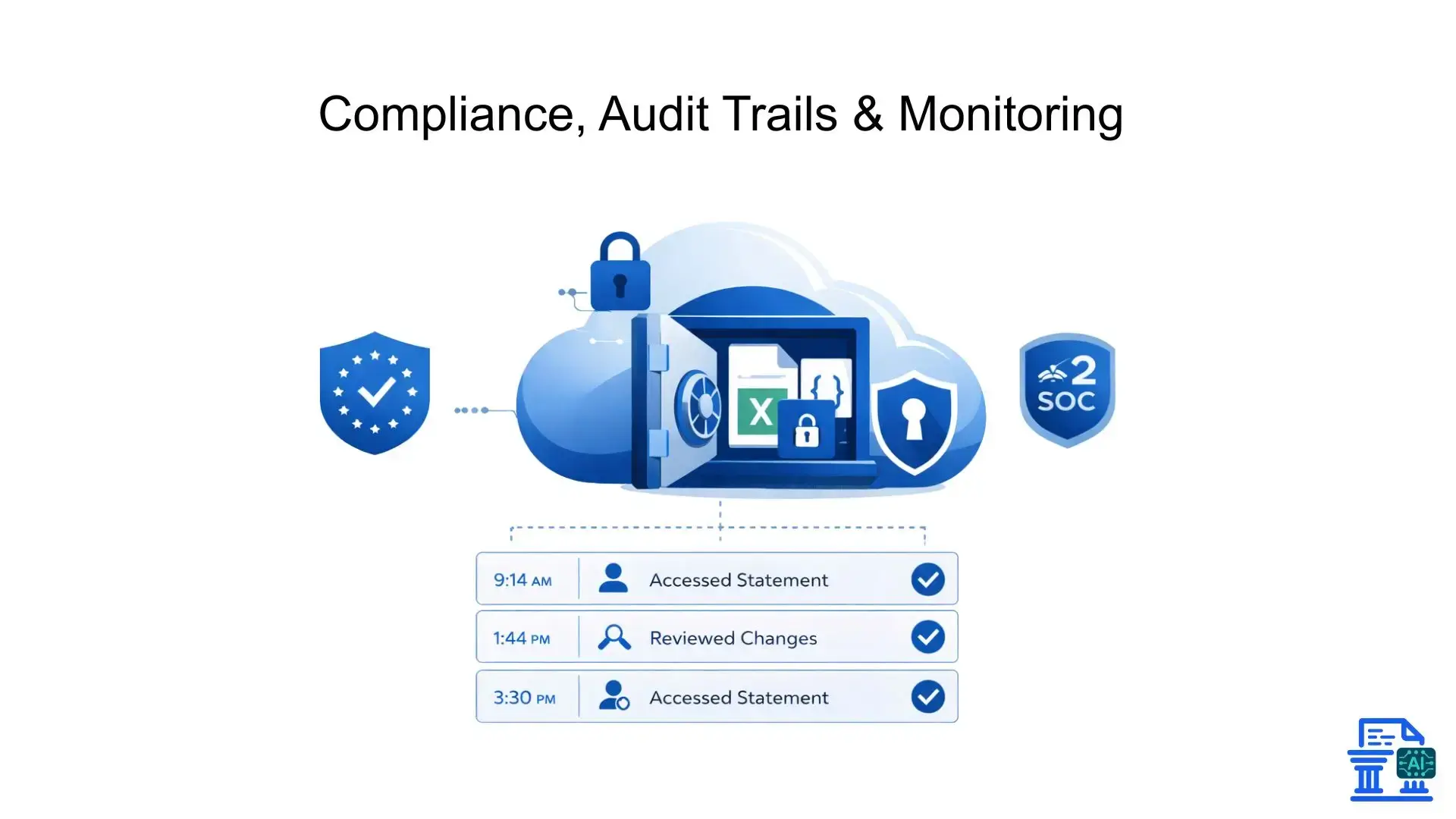
Your storage solution must support audit trails. This feature logs every single interaction with a file: who opened it, when, and what they changed.
This is crucial for audits. If a discrepancy appears in your accounting software, you can trace it back to the source. It ensures you remain compliant with regulations like GDPR or SOC 2.
Data Loss Prevention and Disaster Recovery Strategies
DLP tools monitor your network for suspicious transfers of sensitive data, like credit card numbers or social security details.
If a disaster strikes, like a ransomware attack, you need a recovery plan. Automated backups to independent servers ensure you can restore your financial document management history without paying a ransom.
Vendor Security Vetting and Cloud Service Provider Selection
Don't just trust a logo. Vetting your cloud service providers is essential. Are they using AWS S3 buckets properly? Do they offer zero-knowledge encryption?
Ask for their security certifications. If a vendor cannot prove they are secure, do not trust them with your bank data.
How To Choose Cloud Storage?
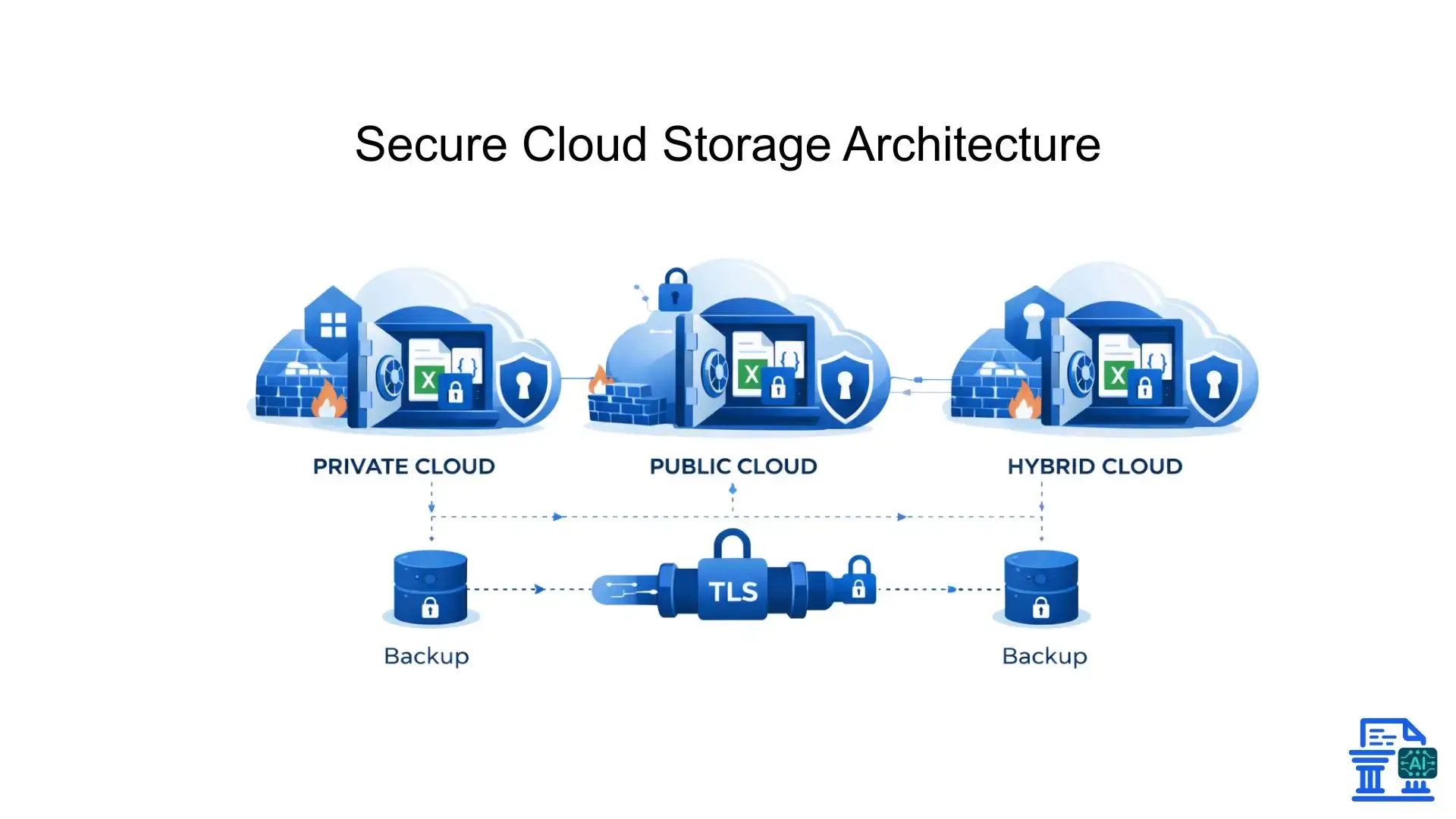
Selecting the right environment for your financial data is a strategic decision. You generally have three main categories to choose from.
Dedicated Secure Financial Document Management Systems
These are specialized platforms built specifically for finance. They often include features like built-in OCR (Optical Character Recognition) and direct integration with tools like QuickBooks Online.
They are generally the safest bet because their entire architecture is designed around the sensitivity of financial data. They understand the nuances of bank reconciliation and audit requirements.
General-Purpose Cloud Storage with Enhanced Security Layers
Tools like Google Drive or Dropbox are popular, but they require extra configuration to be safe for bank statements.
- Enable 2FA: Mandatory two-factor authentication for all users.
- Add Encryption: Use third-party tools to encrypt files before uploading them.
- Private Folders: strictly limit who can see folders containing converted statements.
Understanding Private Cloud and Hybrid Solutions
For larger organizations, a private cloud might be necessary. This involves dedicated servers that only your organization uses, offering maximum control.
Hybrid solutions offer a middle ground. You keep your most sensitive archival data on a private server while using the public cloud for less sensitive, day-to-day operations.
What Are Best Security Practices?
Even the best software fails if human processes are weak. Implementing strict workflows is the only way to ensure long-term security.
Seamless Integration with Bank Statement Conversion Tools
When using tools like Rocket Statements to convert PDFs to Excel, ensure the integration is secure. Avoid downloading files to a local desktop if possible.
Direct API integrations (like using Google API Services) keep the data within a secure ecosystem. This minimizes the "air gap" where files are most vulnerable to local malware.
Structured Data Organization and Governance
Chaos leads to security gaps. If you have files named "Statement_Final_v2.xlsx" scattered across desktops, you cannot secure them.
- Standardize Naming: Use a consistent naming convention including dates and account types.
- Centralized Repository: Force all users to save converted files in one designated secure cloud location.
Regular Security Audits and Vulnerability Assessments
Schedule regular check-ups for your digital security, just like you would for your physical health.
- Run penetration tests to find weak spots in your cloud defense.
- Review user access logs monthly to remove former employees.
- Check that all software patches and updates are applied immediately.
User Training, Awareness, and Internal Protocols
Your team is often the weakest link. Regular training on how to spot phishing emails or fake "urgent" requests for wire transfers is vital.
Make security part of your culture. Remind them that handling client data is like holding the keys to a safe deposit box at your local bank branch, it requires respect and caution.
Developing a Comprehensive Incident Response Plan
Assume you will be breached eventually. An incident response plan tells your team exactly what to do when things go wrong.
Define who to call, how to lock down accounts, and how to communicate with affected clients. Speed is everything when trying to contain financial fraud.
What Benefits Does Security Offer?
Investing in security isn't just about preventing bad things; it actually makes your business run better and more profitably.
Enhanced Compliance and Reduced Regulatory Risk for Financial Data
When your storage is secure, compliance becomes a byproduct rather than a chore. You spend less time worrying about fines and more time focusing on growth.
Improved Collaboration and Efficiency for Finance Teams and Auditors
Secure cloud storage allows for safe file sharing. Auditors can access the data they need without you having to email attachments back and forth, which is notoriously insecure.
Building Trust and Strengthening Your Reputation
Clients want to know their data is safe. rigorous security protocols are a selling point. It shows you are a professional operation that values their privacy.
Empowering Data Analysis and Fraud Detection
Secure, organized data is easier to analyze. You can use machine learning and data analysis tools to spot trends or anomalies in transaction details that might indicate internal fraud.
Conclusion
Securing Converted Bank Statements requires ongoing vigilance, strong encryption, and proper access controls. Because structured files are more vulnerable than PDFs, they must be continuously monitored and protected.
FAQs
1. What are converted bank statements?
Converted bank statements are bank statement PDFs transformed into editable formats like Excel, CSV, or JSON. This makes financial data searchable, analyzable, and easy to import into accounting software.
2. What is a bank statement converter and what does it do?
A bank statement converter extracts transaction data from PDF statements and converts it into structured files. Modern tools automate this process using OCR and AI to reduce manual entry and errors.
3. Why are converted bank statements more vulnerable than PDFs?
Converted bank statements are structured and machine-readable, making them easier to edit, copy, or misuse. Without encryption and access controls, they pose higher security and compliance risks than static PDFs.
4. How do I securely convert and store bank statement PDFs?
Use a trusted converter that supports encrypted exports and secure cloud storage. Tools like https://mybankstatementconverter.ai/ simplify conversion while ensuring data is handled safely with minimal exposure.
5. What is the best way to convert bank statement PDFs into Excel safely?
The safest approach is using a specialized, web-based converter designed for financial data. Platforms such as My Bank Statement Converter offer fast conversion, clean formatting, and are ideal for secure workflows.

Leave a comment
Your email address will not be published. Required fields are marked *