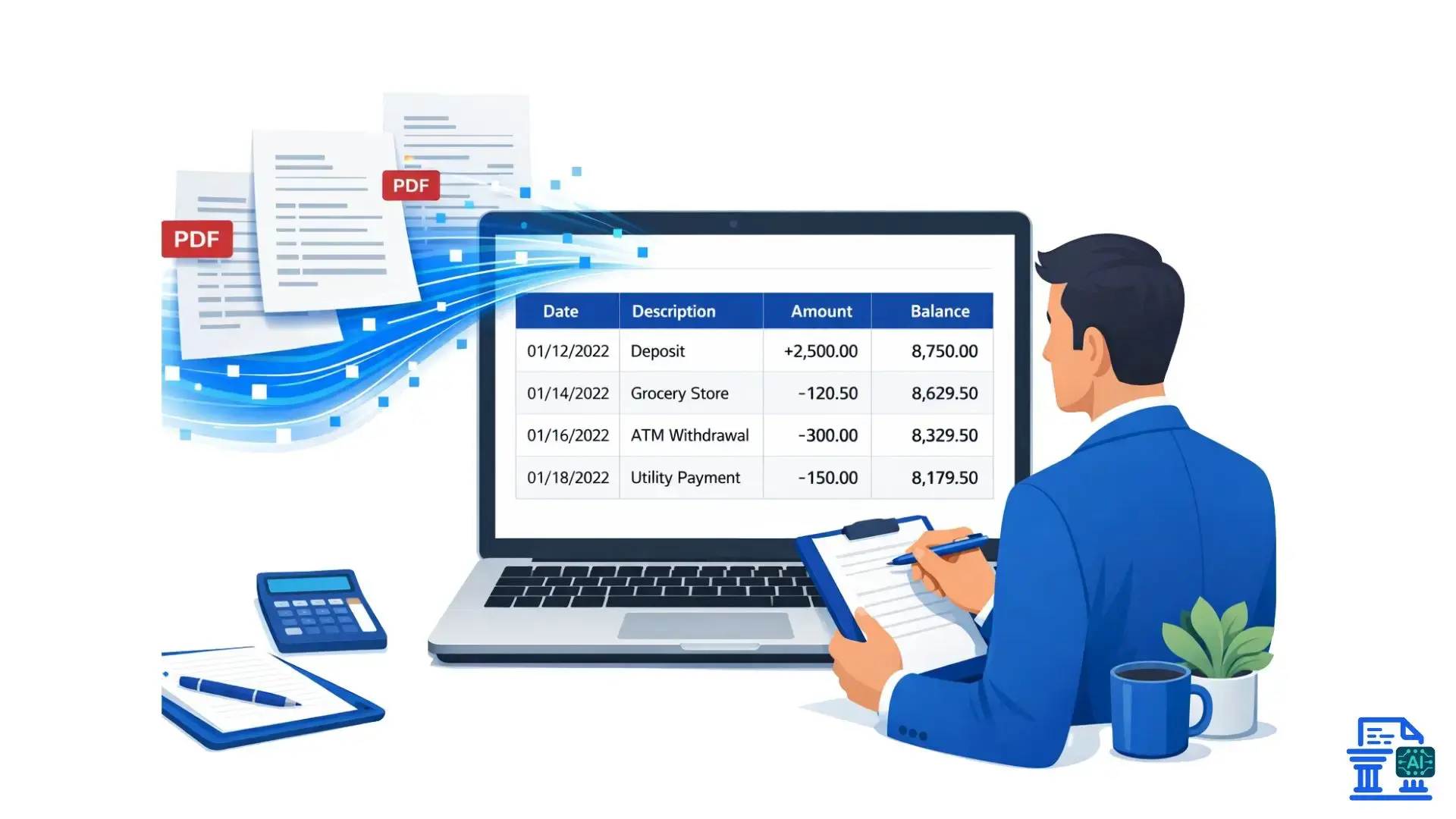
Learn how bank statement converters streamline financial audits, eliminate manual errors, and boost efficiency for modern audit firms.
Bank Statement Converters are redefining modern auditing, where the sheer volume of paperwork can quickly feel overwhelming. With deadlines tightening and data complexity increasing, relying on manual entry becomes a recipe for stress and errors. This guide explores how these tools transform the audit process, turning chaos into clarity for finance professionals everywhere.
Quick Summary
Bank Statement Converters automatically transform PDF and paper statements into editable formats like Excel or CSV. They eliminate manual data entry errors, speed up the audit process, and improve data accuracy. By instantly extracting transaction details, Bank Statement Converters allow auditors to focus on analysis rather than administrative tasks, ensuring a more efficient and reliable financial review.
The Evolving Audit Landscape and the Need for Automation
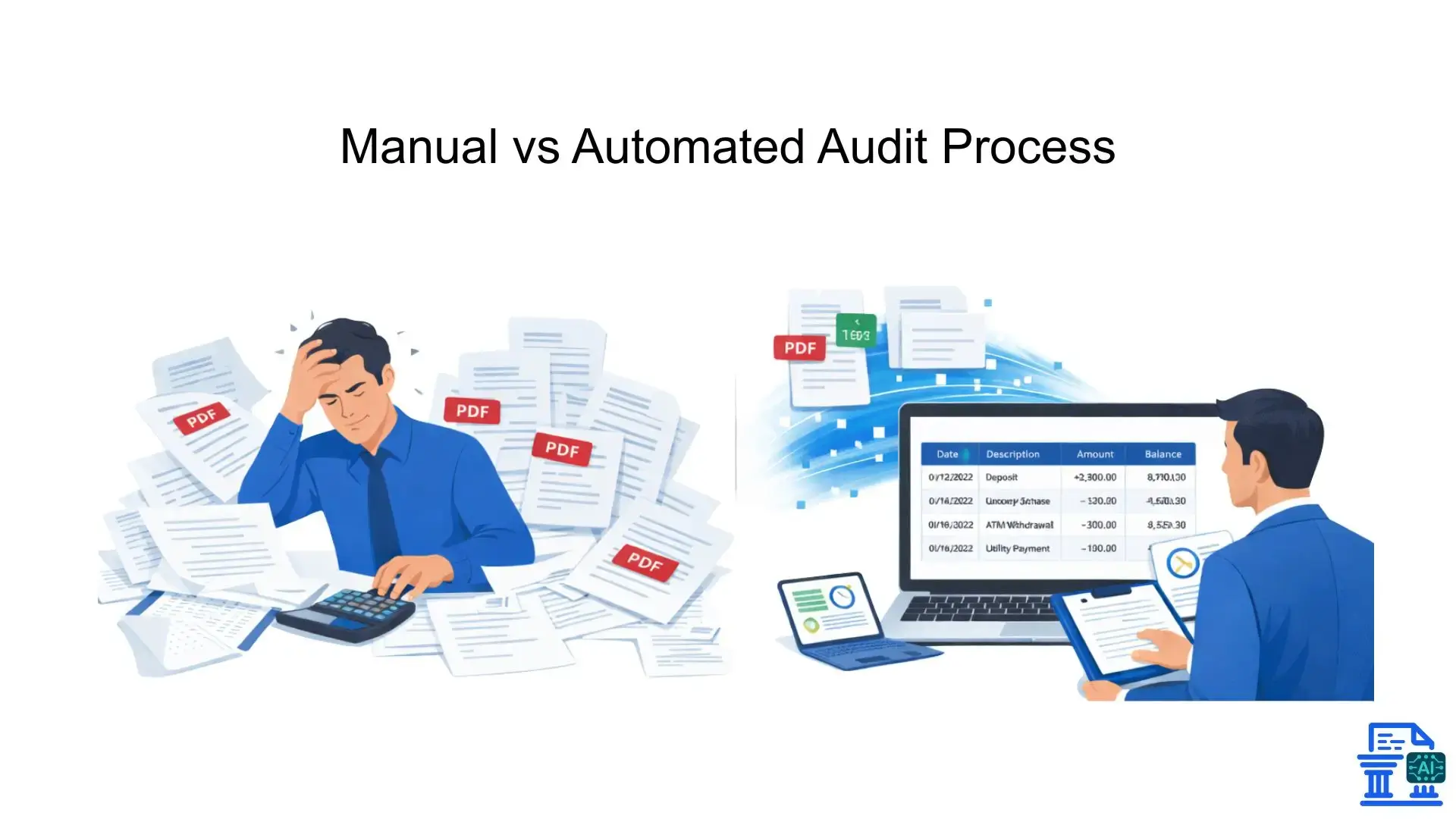
Auditing isn't what it used to be. The days of ticking and tying numbers on green ledger paper are long gone, replaced by digital workflows that demand speed and precision. Yet, many firms still grapple with a significant hurdle: getting data from bank statements into their audit software.
As financial transparency becomes critical for stakeholders, the pressure is on auditors to deliver deeper insights faster. Automation tools are no longer a luxury; they are a necessity for staying competitive. Using bank statement converters bridges the gap between static documents and dynamic analysis, ensuring your financial data is ready for review in minutes, not days.
The Increasing Complexity and Volume of Financial Data in Audits
Every transaction tells a story, but today's businesses have millions of stories to tell. The volume of financial activities auditors must review has exploded. We aren't just looking at a few monthly checks anymore; we are dealing with high-frequency trading, multi-currency transactions, and complex digital payments.
Managing this influx requires tools that can handle scale. When transaction lists run into the thousands, manual review becomes impossible. Bank statement converters digest this complexity, parsing through pages of data to organize transaction dates, amounts, and descriptions into a coherent, structured format.
The Manual Bottleneck
We've all been there, staring at a faded scan of a bank statement, trying to decipher if that number is a 6 or an 8. Manual entry is the bottleneck of the audit process. It is slow, tedious, and fraught with risk.
- Manual data entry is the leading cause of delays in audit preparation .
- Manual errors (transposition errors, missed decimals) can compromise data integrity .
- Fatigue sets in quickly, leading to oversight of critical transaction details .
Bank Statement Converters: A Strategic Solution for Modern Auditors
To break free from the manual grind, forward-thinking firms are adopting automated conversion tools. These aren't just simple copy-paste utilities; they are sophisticated engines often powered by Artificial Intelligence and OCR technology.
By implementing a converter, you shift the workload from human hands to machine precision. This strategic move allows accounting teams to focus on high-value tasks like risk assessment and client advisory, rather than getting bogged down in the mechanics of data extraction.
What Are Bank Statement Converters?
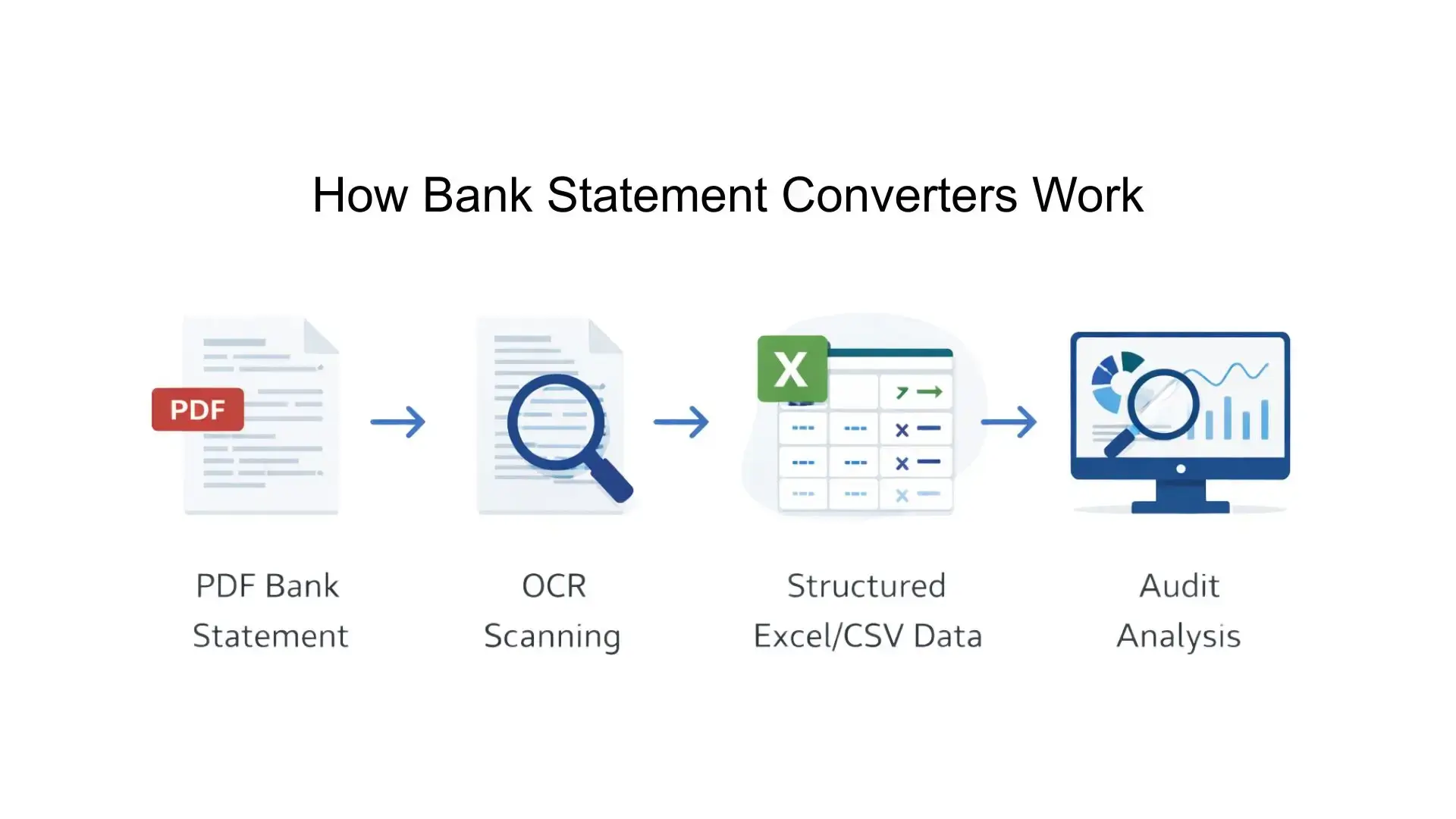
At their core, these tools are translators. They take the "language" of a static document, usually a PDF format or image, and translate it into the "language" of your financial systems, like Excel, CSV format, or directly into accounting software like QuickBooks or Xero.
Bridging the Gap Between Unstructured and Structured Data
Bank statements usually arrive as "unstructured data." To a computer, a PDF is just a picture of text; it doesn't understand that "$500.00" is a number it can add or subtract. Bank statement converters use Optical Character Recognition (OCR) and Machine Learning to recognize patterns.
They identify the grid structure of a statement, distinguish headers from rows, and convert that visual information into structured data. This conversion is essential for feeding a data pipeline effectively, ensuring that what you see on the page is exactly what lands in your spreadsheet.
Key Data Points Extracted for Audits
Reliable converters don't just grab text; they understand context. For a successful financial audit, specific data points must be extracted with 100% accuracy:
- Transaction dates : Establishing the timeline of financial events.
- Amounts : Capturing credits and debits precisely.
- Descriptions : The narrative of the transaction (payee details).
- Account number : verifying the data belongs to the correct entity.
- Balances : Ensuring the running balance matches the calculated total.
Revolutionizing Audit Efficiency and Accuracy
The immediate impact of adopting bank statement software is time. What used to take junior auditors hours or even days can now be accomplished in minutes. This shift allows firms to take on more clients without increasing headcount.
Drastically Reduced Audit Preparation Time
Time is money, especially in client advisory work. Automated extraction streamlines the initial phase of the audit significantly.
- Audit preparation becomes a standardized, rapid procedure.
- Client onboarding is smoother, as historical data can be processed instantly.
- Last-minute documents provided by the client during the audit don't cause panic.
Eliminating Manual Data Entry and Minimizing Human Errors
The risk of "fat-finger" errors is real. A single wrong digit can throw off an entire financial analysis. By removing manual data entry from the equation, you remove the primary source of inaccuracy.
Converters provide a clean digital trail. When you convert scanned PDFs or PDF statements using trusted tools, you ensure that the numbers in your analysis match the source documents exactly. This consistency is vital for maintaining data accuracy throughout the engagement.
Enhancing Data Accuracy and Reliability Through Automated Validation
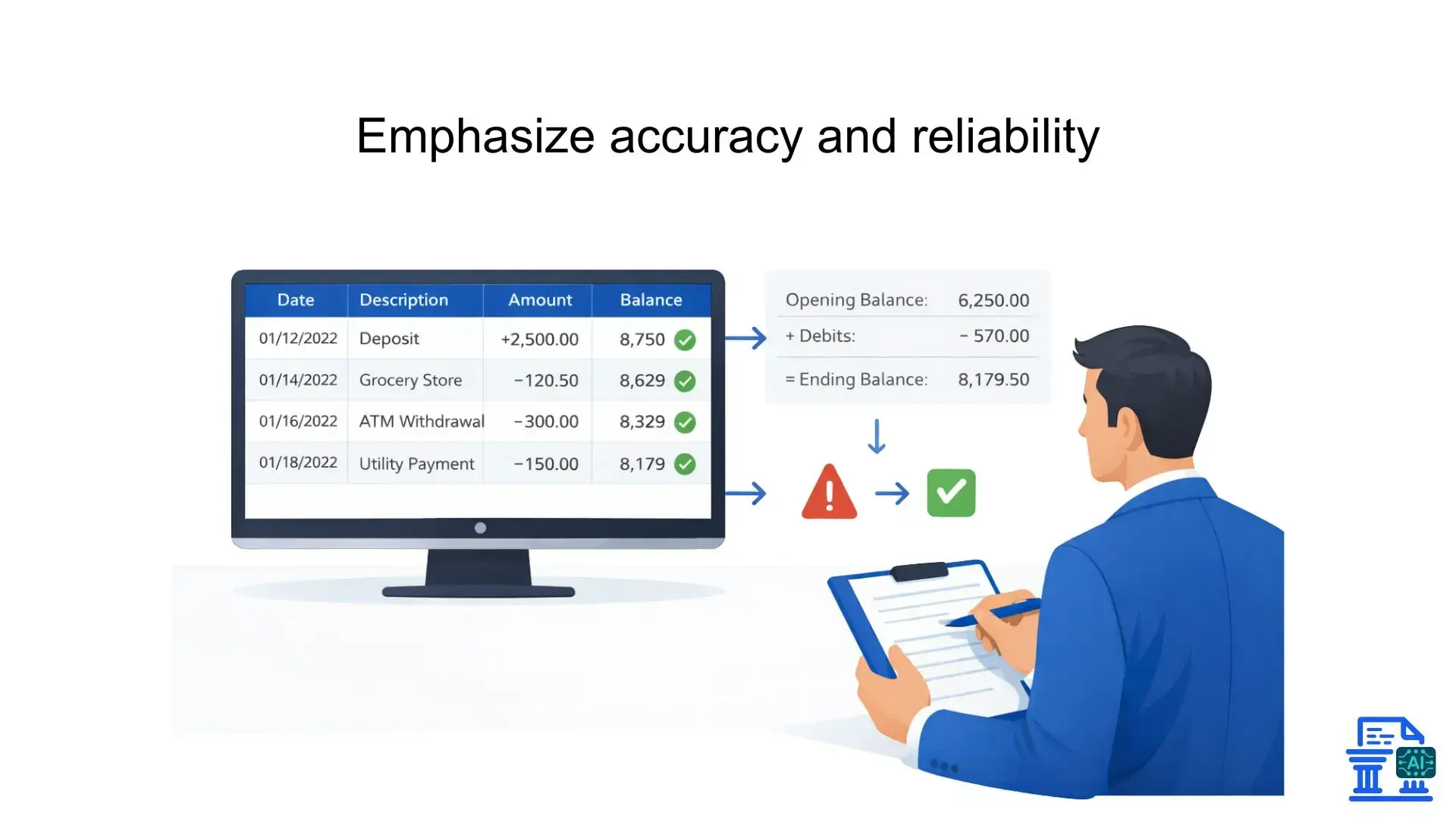
Advanced bank statement extraction software often includes built-in validation. It checks the math for you.
- Validation methods : The software ensures opening balance + transactions = closing balance.
- Verification : Anomalies or unreadable characters are flagged for human review.
- Data integrity : The output remains consistent regardless of the varying bank statement formats received from different financial institutions.
Strategic Audit Applications of Converted Data
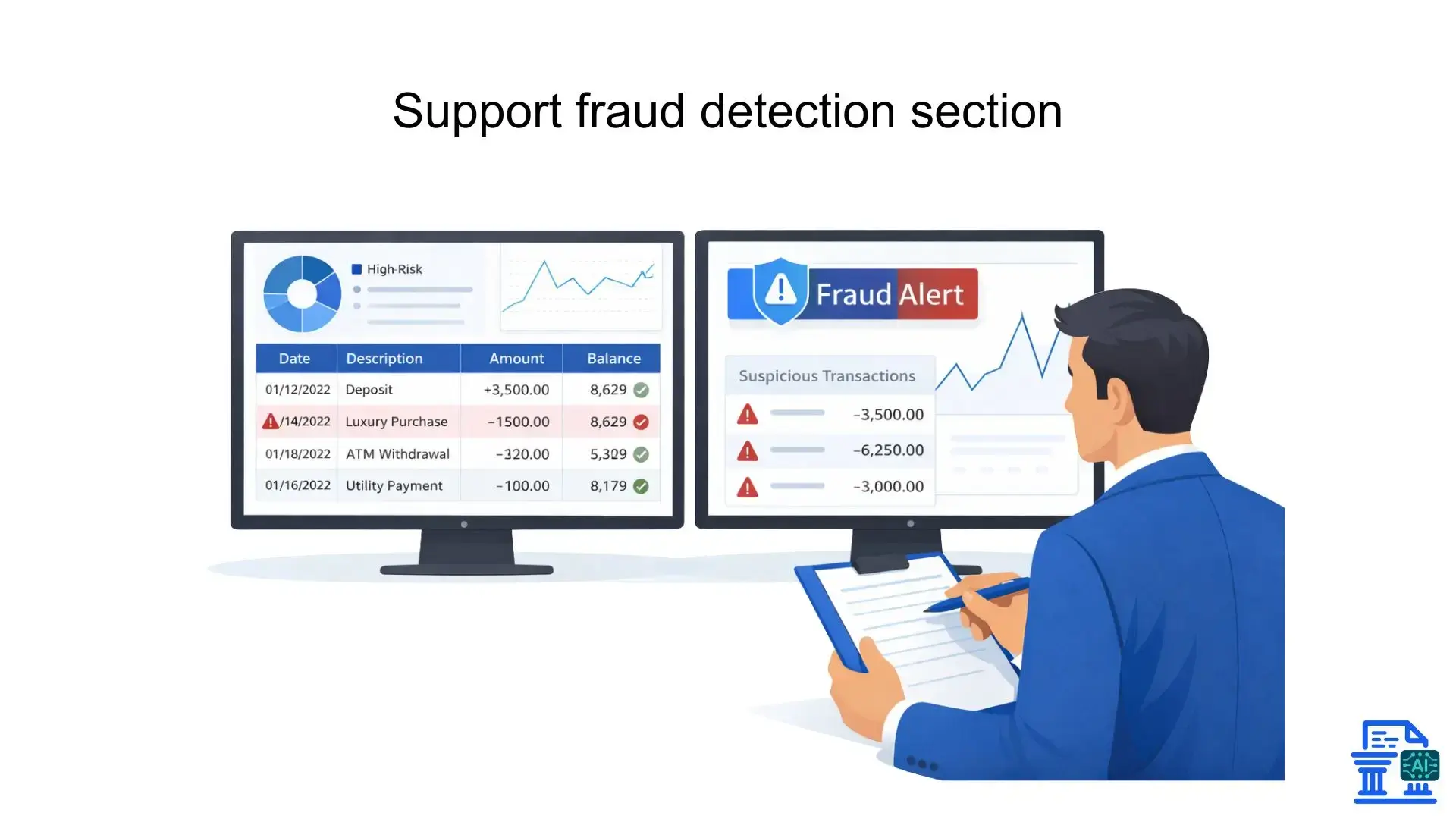
Once the data is converted, the real work begins. Clean, digitized data opens the door to analytical capabilities that simply aren't possible with paper records.
Robust Fraud Detection and Anomaly Identification
With all transaction data in a manipulatable format, auditors can run powerful tests to spot red flags.
- Fraud detection : Algorithms can scan for duplicate payments, round-number transactions, or activity at unusual hours.
- Risk assessment : Identifying patterns that deviate from normal spending trends.
- Financial transparency : Providing a clear view of all financial activities without hidden rows.
Comprehensive Cash Flow Analysis and Financial Health Assessment
Understanding a client's liquidity is crucial. Converted data allows for instant cash flow modeling.
- Financial analysis : Auditors can pivot data to see inflows vs. outflows by category.
- Financial reports : Generate visual reports on banking health instantly.
- Client insights : Offer proactive advice based on real-time cash positions.
Facilitating Compliance and Support for Investigations
In forensic engagements or standard compliance checks, the ability to search and filter transactions is invaluable. You can quickly isolate specific vendors or dollar thresholds to ensure standards are met. This capability supports thorough investigations by making every line item searchable and traceable back to the source financial document.
Efficient Management of Multi-Currency and Complex Transactions
Global businesses deal in global currencies. Manual conversion of foreign transactions is a headache. Automated tools often handle multi-currency transactions better by keeping currency codes associated with amounts, ensuring that financial reports accurately reflect exchange rates and foreign holdings.
Choosing the Right Converter?
Not all converters are created equal. For an audit practice, security and accuracy are paramount. You need a tool that fits seamlessly into your existing workflow.
Essential Features for Audit Firms
When evaluating software, look for these "must-haves":
- Accuracy : High-quality OCR software that handles poor quality scans.
- Format support : Ability to handle PDF format , images, and HTML format conversions .
- User interface : Intuitive design that requires minimal training.
- Cloud-based software : Accessibility for teams working remotely or at a client site.
Integration Capabilities with Existing Audit and Accounting Ecosystems
Your converter shouldn't be an island. It needs to talk to your other tools.
- API integration : Direct links to audit software.
- Accounting software : Exports compatible with Xero, Sage, or QuickBooks (QBO formats).
- Data pipeline : Ability to feed directly into business analytics dashboards.
Cost-Benefit Analysis and Return on Investment (ROI) for Audit Practices
For SMEs and smaller finance teams, the cost of software is a consideration. However, the ROI is usually rapid. If a tool saves 5 hours of billable time per audit, it pays for itself almost immediately. Accounting professionals should weigh the subscription cost against the reduction in non-billable administrative hours.
Pro Tips
Even with the best tools, professional judgment remains key. Automation assists the auditor; it does not replace them.
Implementing Robust Data Validation and Quality Control Processes
Always verify the output. Use a "trust but verify" approach.
- Quality control processes : perform spot checks on converted data against the original PDF.
- Validation techniques : Use Excel formulas to cross-cast columns and ensure totals match.
- Manual review : scanning for obvious OCR misreads (e.g., confusing a '1' for an 'l').
Strategies for Handling Challenging Bank Statement Formats
Some clients will send crumpled, coffee-stained scans.
- Scanned PDFs : Use image enhancement tools before conversion if the scan is dark.
- Metadata : Check file properties to see if a digital text layer already exists.
- Varying formats : Train your staff on how to configure custom templates for obscure banking institutions .
Training and Upskilling Audit Professionals in Converter Usage
Your tool is only as good as the user. Invest in training your accountant and audit staff. They need to understand not just how to click "convert," but how the OCR technology works so they can troubleshoot issues effectively.
Maintaining Professional Skepticism: The Role of Human Oversight
Automated audits are efficient, but machines can't detect context. Professional skepticism is vital. If a transaction looks technically correct but business-wise makes no sense, an algorithm might miss it. Human oversight ensures that the story behind the numbers is valid.
The Future of Audit Automation
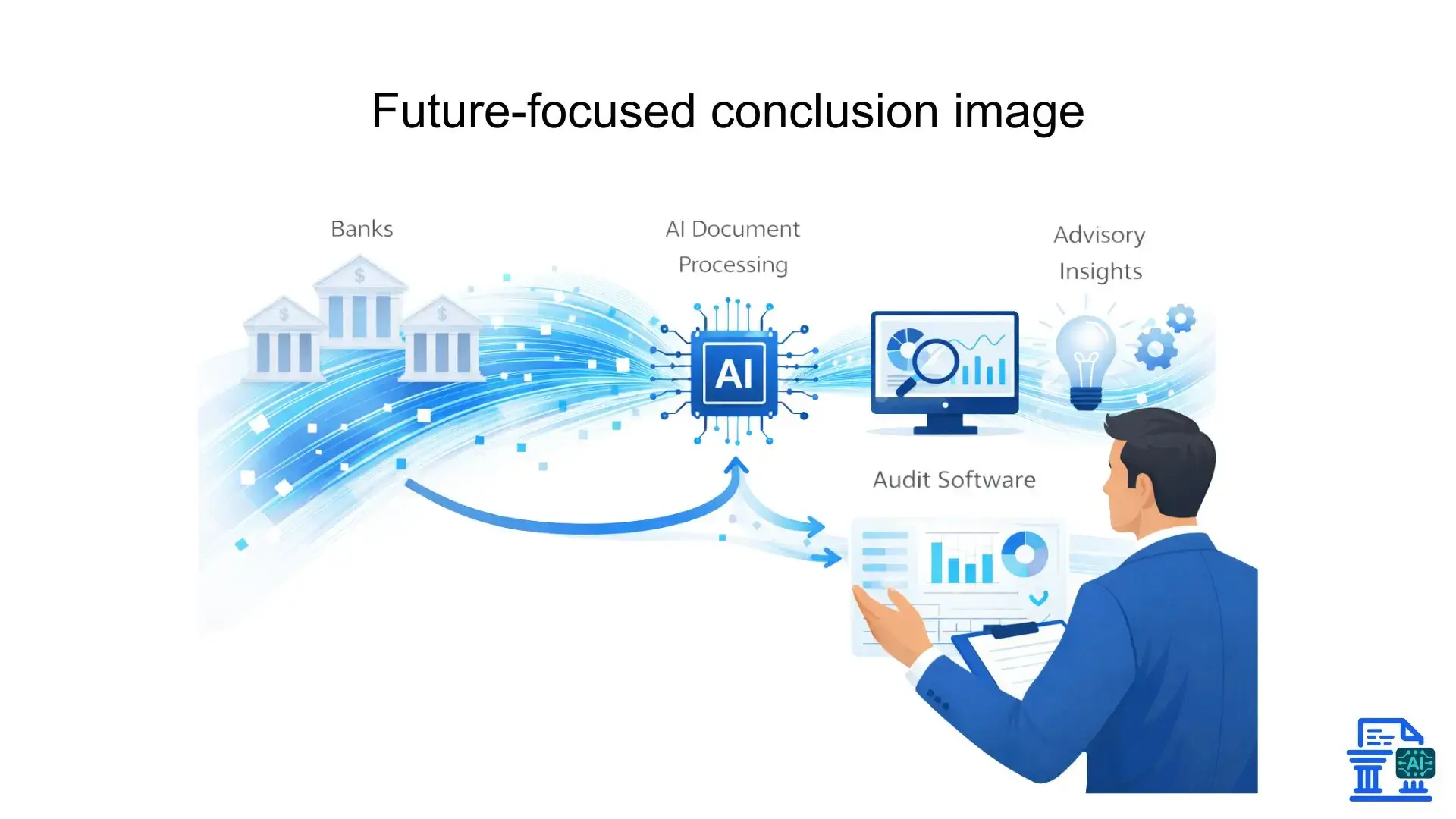
The horizon is bright. We are moving beyond simple conversion into the realm of predictive analytics and Intelligent Document Processing.
Integrating Converters into a Holistic Audit Automation Strategy
Converters are the first step. The goal is a fully automated workflow where data flows from the bank, through the converter, into the audit software, and finally into the financial review report with minimal friction. This holistic approach empowers advisory services to deliver higher value.
The Evolving Role of the Auditor in an Automated Landscape
As machine learning technology handles the grunt work, the auditor evolves into a strategic advisor. The focus shifts from "is this number right?" to "what does this number mean for the business?" This elevates the profession and provides deeper value to the client.
Conclusion
Bank Statement Converters have evolved from a convenience into an essential engine of modern financial audits, delivering efficiency, accuracy, and deeper strategic insight. By eliminating manual data entry, these tools transform audits from time-consuming tasks into streamlined, high-value processes. Firms that embrace Bank Statement Converters gain a clear competitive edge through faster delivery, better clients, and smarter workflows, making adoption no longer optional, but necessary.
FAQs
1. What do banks and auditors look for in financial statements during an audit?
Banks and auditors look for accuracy, consistency, reconciled balances, and supporting transaction evidence. Any missing, misstated, or unexplained entries can raise audit concerns.
2. What is the most accurate way to prepare bank statements for financial audits?
The most accurate way is to convert original bank statements into structured formats like Excel or CSV. Automated extraction eliminates manual entry errors and ensures audit-ready data.
3. How can auditors verify a bank statement quickly and reliably?
Auditors verify bank statements by reconciling opening and closing balances and validating transaction totals. Converting statements with tools like mybankstatementconverter.ai makes verification faster and more reliable.
4. Why is it important to prepare accurate financial statements, and what happens if they’re incorrect?
Accurate financial statements support audits, compliance, and financial decisions. Inaccurate records can result in failed audits, penalties, or loss of credibility.
5. What is the easiest way for professionals to analyze financial statements for audits?
The easiest way is to analyze structured data instead of PDFs. When transactions are in Excel or CSV, auditors can quickly filter, reconcile, and identify anomalies.

Leave a comment
Your email address will not be published. Required fields are marked *